4.9
worldwide rating
App of the Day

Wrist Recall

Flashcards to go. Learn on your wrist. Remember everywhere.

WristRecall deck list on Apple Watch
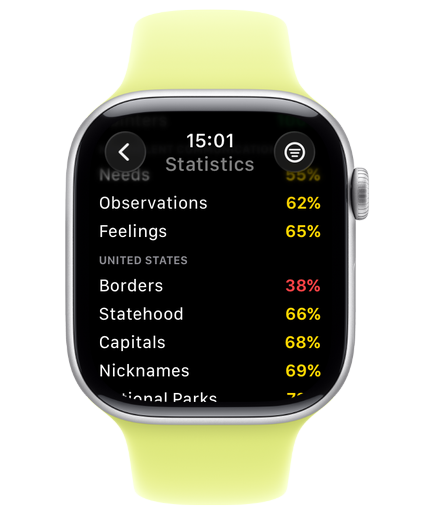
WristRecall countries deck on Apple Watch
WristRecall stats summary on Apple Watch

Built for the wrist.

Tiny sessions sized for real life. Five questions while the kettle boils — and you're done.

Drive-by learning.

Your next card lives on your watch face. Glance, tap, done — without ever opening the app.
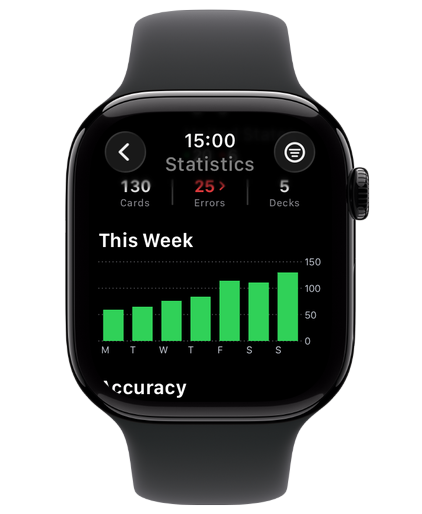
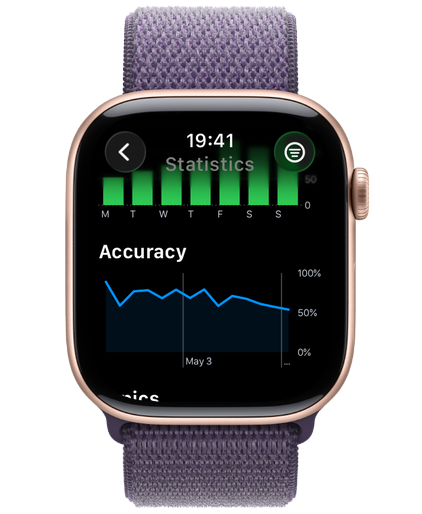
WristRecall stats summary on Apple WatchWristRecall weekly accuracy on Apple WatchWristRecall topic-by-topic mastery on Apple Watch

Streaks that stick.

Watch your streak grow. See accuracy climb. Spot the topics that still need work — at a glance.

Try again, today.

Got something wrong? Re-study just the cards that tripped you up — on the watch or the phone.

Pick up anywhere.

Start a session on the watch. Browse the deck on the phone. Everything stays in step.

Always one glance away.

Home and lock screen widgets keep your next card and today's progress in front of you all day.

Whatever you're learning.

Languages. Vocabulary. Exam prep. Anatomy. Each deck tracked on its own — your subjects, not ours.

What people are saying

Showing social proof is very important. Show some nice words about your app from social media or App Store reviews.”
If it's an App Store review, make sure to show the stars rating, it catches attention and add visual variety.”
Include a link to the testimonial's source when possible, this makes them look more trustworthy”
Having person's credentials could also help build trust, especially if they are relevant to your app's domain.”

Additional Highlights

Icon Card

These are great for listing highlights that don't need images

There Are A Ton Of Icons

AppView uses Material Symbols for icons with a huge collection to choose from

Check AppView Docs

There are sections about using icons and icon cards

Download